
Explore key tools, smart features, and expert insights...
Migrating to a cloud-native operating system like Chrome Operating System is a strategic decision, but success requires precise planning. Modern information technology investment is not just about deploying new technology; it is about making data-driven decisions that deliver cost savings, reduce risk, and create future-ready infrastructure. The ChromeOS Readiness Tool goes beyond compatibility checks to become a powerful enabler of strategic information technology decision-making.
The ChromeOS Readiness Tool evaluates an organization’s environment by analyzing application usage, device compatibility, and peripheral compatibility, providing actionable insights for information technology leaders.
The Chrome OS Readiness Tool eliminates guesswork, offering granular data that guides informed information technology investment:
Application Readiness Insights The ChromeOS Readiness Tool categorizes applications into clear readiness statuses:
Chrome Ready: Fully compatible applications.
Possibly Ready: Applications that may require configuration or adjustments.
Blockers: Applications with significant issues preventing use on the Chrome Operating System.
Unknown: The Unknown application readiness status indicates that the ChromeOS Readiness Tool team is continuously working on enhancing the tool.
By identifying Blockers early, IT teams can proactively plan budgets, avoiding costly delays and unexpected migration challenges. Device Compatibility and Optimization The ChromeOS Readiness Tool evaluates device readiness using statuses such as Ready to Switch, Ready with Verification, or Blocked from Switching based on the application readiness of each device. Also, the ChromeOS Flex compatibility status allows organizations to extend the lifecycle of compatible devices with ChromeOS Flex, reducing new hardware costs, minimizing electronic waste, and supporting sustainable information technology practices.
The ChromeOS Readiness Tool provides actionable insights across multiple dimensions:
Virtualization Recommendations: For applications classified as Blocker or Possibly Ready, the tool identifies virtualization needs and provides solutions such as Cameyo recommendations, ensuring information technology spending is focused on essential tools.
Browser Insights: The tool analyzes browser usage, version distribution, and extension details by helping IT teams to focus on ;
Enhanced Security: Identify outdated browser and extensions.
Smooth Migration: Prepare the organization for the ChromeOS and the Chrome Enterprise Browser transition.
The ChromeOS Readiness Tool makes data accessible and meaningful for leadership:
Web Dashboards: Access detailed readiness data via the Professional Dashboard (for single organizations) or Partner Dashboard (for multiple clients). Data is encrypted and secured with a private key generated during deployment.
Executive Summary: Provides a concise, professional overview of readiness status, critical applications, and strategic recommendations, enabling executives to make informed decisions quickly.
Raw Data Reports: Exportable in Microsoft Excel and compatible with Tableau, Microsoft Power Business Intelligence, or Looker, allowing information technology teams to build custom dashboards and derive deeper insights.
The ChromeOS Readiness Tool transforms information technology planning from reactive problem-solving to proactive strategy. By providing a clear roadmap and actionable insights, the tool ensures that your ChromeOS migration is secure, scalable, cost-efficient, and strategically aligned, maximizing business value from every information technology investment.
Migrating to a new operating system like ChromeOS can be complex. Enterprises often struggle to calculate the Return on Investment due to the costs of compatibility testing, managing legacy hardware, and mitigating application blockers. The ChromeOS Readiness Tool removes this uncertainty by providing data-driven insights that help IT leaders measure, optimize, and maximize the value of their migration investment.
ChromeOS Readiness Tool enables organizations to maximize hardware value and reduce costs:
Extend Hardware Life with ChromeOS Flex: ChromeOS Readiness Tool identifies existing Windows PCs that can successfully run ChromeOS Flex, reducing the need for costly replacements and minimizing e-waste.
Energy Efficiency: ChromeOS devices consume less energy than comparable devices, lowering operational expenses.
ChromeOS Readiness Tool provides clarity, helping IT teams focus efforts efficiently:
Streamlined Migration: By assessing device and application readiness, ChromeOS Readiness Tool removes guesswork and enables a smooth migration process.
Reduced Downtime: Early identification of 'Blocker' or 'Possibly Ready' applications prevents delays and ensures predictable migrations.
Focused Effort: Device readiness statuses highlight which devices and apps are fully ready and which require remediation, optimizing IT resource allocation.
ChromeOS Readiness Tool ensures critical business applications continue to function post-migration:
Identify Blockers: Applications are categorized as 'Chrome Ready,' 'Possibly Ready,' or 'Blockers.'
Plan: ChromeOS Readiness Tool recommends virtualization solutions, such as Cameyo, to maintain access to legacy apps, shifting IT planning from reactive troubleshooting to proactive management.
ChromeOS Readiness Tool translates technical insights into strategic decisions:
Executive Summaries: Professionally formatted reports provide high-level readiness overviews and strategic recommendations for executives and IT leaders.
Detailed Dashboards: Web-based dashboards offer a readiness score with breakdowns by device, application, and compatibility status.
Customizable Data: Raw data can be exported to Excel and integrated with tools like Tableau, PowerBI, or Looker for tailored ROI tracking.
By combining technical assessment, risk mitigation, and executive-ready reporting, the ChromeOS Readiness Tool transforms migration into a predictable, measurable, and cost-effective initiative, ensuring organizations realize the full ROI of their ChromeOS adoption.
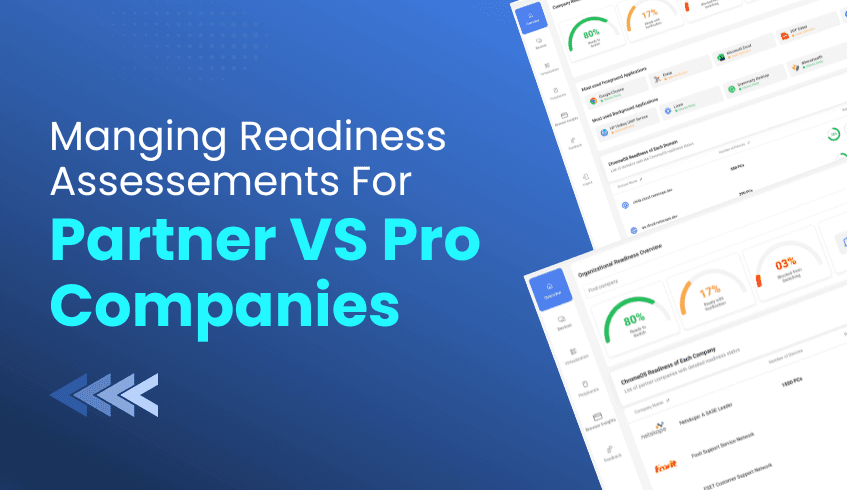
For service providers and large enterprises managing multiple domains, visibility and control are crucial for a seamless ChromeOS migration. The ChromeOS Readiness Tool offers two specialized web dashboards, the Partner Dashboard and the Pro Dashboard,d tailored to different management needs.
This guide explains how service providers can leverage the Partner Dashboard to efficiently manage multiple customer environments and streamline ChromeOS readiness assessments.
The ChromeOS Readiness Tool provides two dashboard experiences based on the user’s role and deployment type:
Pro Dashboard (Single Organization) Designed for IT admins managing a single organization, the Pro Dashboard offers a comprehensive view of ChromeOS readiness within one environment. It displays insights such as company readiness summaries, application readiness statuses, and device distribution.
Partner Dashboard (Multi-Tenant Management) Created for service providers. This dashboard supports multi-customer management through secure, key-based access. It enables partners to monitor multiple client environments, review readiness data, and manage migration progress from a centralized interface.
To view a customer’s readiness data, partners must use their customer-specific encryption key:
Login & Authentication: The partner logs in using their Google account.
Data Access: The partner uploads the customer’s private encryption key to unlock the readiness reports.
Progress Monitoring: The dashboard displays assessment progress, duration, and completion percentage in real time.
The Partner Dashboard simplifies navigation across multiple clients and domains:
Company Selector: Partners can switch between customer organizations via a drop-down menu.
Domain Filtering: Within each company, they can filter devices by domain for focused analysis.
For partners to access customer reports successfully, the deployment must use Google Cloud Storage (GCP).
Supported Storage Options:
Partner-Managed Cloud Storage:
Customers use a shared bucket maintained by the partner organization.
Ideal for centralized visibility across all customers.
Customer-Managed Cloud Storage:
Customers create and manage their own GCP bucket, maintaining independent control of their data.
Important Notes:
Partner Dashboard access is not available for deployments using only on-premise storage (Network Shared Folders).
Partners must distribute a partner-specific setup file with customer companies to ensure collected data maps correctly to their Partner Dashboard. Using generic setup files will prevent customer data from displaying.
The Partner Dashboard transforms ChromeOS migration assessments into a scalable managed service. By offering centralized oversight, partners can:
Deliver detailed, data-backed readiness reports across multiple clients.
Support faster, more confident ChromeOS migration planning.
Maintain a consistent view of deployment progress and outcomes.
The ChromeOS Readiness Tool’s Partner Dashboard empowers service providers to move beyond single-organization visibility, enabling multi-tenant, data-driven ChromeOS readiness management. Whether you’re overseeing a few clients or a large portfolio, the Partner Dashboard ensures every migration is tracked, secure, and optimized for success.
The ChromeOS Readiness Tool delivers data-driven insights to support smooth and confident ChromeOS migrations. But readiness doesn’t end after one assessment; maintaining up-to-date data and ensuring proper tool management is key to ongoing IT hygiene and security.
This guide outlines the best practices for reconfiguring the ChromeOS Readiness tool to run a new assessment and uninstalling it cleanly once your evaluation is complete.
When you need to refresh your readiness data, the ChromeOS Readiness Tool’s Reconfigure option makes it simple to start a new assessment round without reinstalling the tool.
Reconfiguration ensures that your reports accurately reflect the current environment, capturing the latest insights from apps, devices, and browsers.
Open the Installer: Launch the original ChromeOS Readiness installer.
Select “Reconfigure”: Choose this option and confirm to begin.
Authenticate: Sign in with your Google account to validate access.
Update Company Data: Review and confirm your company details.
Connect Storage: Enter your designated cloud storage bucket name and proceed once verified, only if you select the storage option with GCP storage.
Configure Deployment:
Set the desired assessment duration.
Optionally enable Browser Insights.
Choose to hide the tray icon on client devices if needed.
Complete & Export: Finalize the setup, then download the new private key and deployment package to roll out on client machines.
Note: Previous assessment results remain available in the History Reports section of the updated Report Generator.
When your assessment is complete, uninstalling ChromeOS Readiness Tool properly ensures all related components are removed from user devices.
The provided uninstallation package includes a script to automate this process efficiently and securely.
Locate the Script: Use the uninstallation package supplied with the tool. You can download it from the website’s resources section.
Run as Administrator: Execute the script in PowerShell with admin privileges.
Automatic Removal: The script will:
Delete all ChromeOS Readiness Tool files and logs.
Remove Task Scheduler entries and registry values.
Erase all locally stored assessment data.
For large-scale environments, deploy the uninstallation script through your Unified Endpoint Management solution for bulk removal.
While the uninstallation script cleans local systems, administrators must take one final step for complete data security and compliance.
After removing ChromeOS Readiness Tool from user machines, manually delete any stored data in your organization’s shared folders or Google Cloud Storage buckets. This ensures full control and permanent removal of all assessment-related information from your environment.
Properly maintaining and removing the ChromeOS Readiness Tool is essential to keeping your IT environment clean, secure, and audit-ready. By following these best practices, IT administrators can confidently manage readiness cycles, ensuring that each assessment begins with a clean slate and ends with complete data control.
The pace of digital change shows no signs of slowing down. For organizations aiming to stay ahead, adapting isn’t optional; it’s mission-critical. By adopting cloud-native platforms such as ChromeOS, businesses can unlock greater flexibility, enhanced security, and the scalability needed to thrive in an unpredictable landscape.
However, a successful transition requires more than just intent; it demands insight. The ChromeOS Readiness Tool provides that foundation. It enables data-driven decision-making, helping IT teams plan, optimize, and execute migration strategies with confidence and precision.
The ChromeOS Readiness Tool is a comprehensive compatibility assessment platform that evaluates your organization’s applications, devices, and peripherals against ChromeOS requirements. It eliminates uncertainty and replaces assumptions with actionable data.
Application Readiness: The tool categorizes applications into Chrome Ready, Possibly Ready, or Blockers. This allows teams to identify and resolve potential compatibility issues before migration begins.
Device Readiness: Devices are classified as Ready to Switch, Ready with Verification, or Blocked from Switching, providing a clear view of which devices can seamlessly transition to ChromeOS or ChromeOS Flex.
These insights form a data-backed roadmap that guides IT teams through every phase of migration.
The ChromeOS Readiness Tool transforms raw data into actionable intelligence, enabling cost-effective, efficient migration planning.
Predictable, Controlled Migration: By uncovering challenges early, the tool minimizes downtime, delays, and unexpected expenses, helping organizations manage resources efficiently.
Hardware Modernization: Through solutions like ChromeOS Flex, the ChromeOS Readiness Tool identifies opportunities to extend the life of existing hardware. This not only reduces e-waste but also aligns with financial and sustainability goals.
With clearer insights, IT teams can make smarter investments, streamline workflows, and accelerate transformation at scale.
Security is foundational to every stage of the ChromeOS Readiness Tool’s process.
All collected data remains within the organization, secured with encryption protocols to ensure only authorized access.
Beyond assessment, the tool prepares organizations for future innovation:
Virtualization Insights: For applications marked as Possibly Ready or Blocked, the ChromeOS Readiness Tool highlights virtualization options and supported solutions, empowering proactive planning instead of reactive troubleshooting.
Cloud Agility: By laying the groundwork for cloud-first infrastructure, the ChromeOS Readiness Tool supports scalability through ChromeOS’s cloud-based management and Virtual Desktop Infrastructure (VDI) capabilities.
The ChromeOS Readiness Tool is far more than a compatibility checker; it’s a strategic enabler of digital transformation.
By combining intelligent insights, operational efficiency, and embedded security, ChromeOS Readiness Tool helps businesses transition to ChromeOS with confidence, unlocking the full potential of a modern, cloud-native IT ecosystem.
In today’s enterprise landscape, migrating to a cloud-native operating system like ChromeOS offers the promise of agility, efficiency, and long-term value. Yet, many organizations hesitate due to concerns about cost, downtime, and compatibility challenges.
The ChromeOS Readiness Tool eliminates these barriers. It delivers a comprehensive, data-driven assessment that transforms migration planning into a predictable, secure, and cost-effective process.
One of the largest expenses in any IT modernization effort is replacing hardware that may still be functional. The ChromeOS Readiness Tool addresses this challenge by helping organizations extend the value of their existing assets.
Device Readiness Insights reveal which devices can transition seamlessly to ChromeOS or leverage ChromeOS Flex on Windows devices.
This approach reduces the need for costly hardware refresh cycles while minimizing e-waste.
ChromeOS devices are also designed for sustainability, consuming less energy than comparable devices, resulting in lower operational costs over time.
By modernizing without unnecessary hardware replacement, organizations achieve immediate financial and environmental benefits.
Unexpected application failures after migration are one of the most common sources of unplanned IT costs. The ChromeOS Readiness Tool minimizes this risk through precise application analysis.
It categorizes applications into four readiness levels: Chrome Ready, Possibly Ready, Blockers, and Unknown, giving IT teams the foresight to act before migration begins.
Early Identification: Detecting potential blockers well in advance helps organizations avoid downtime and expensive troubleshooting.
Strategic Remediation: The tool also recommends remediation paths for applications requiring virtualization, with support for solutions such as Cameyo. This proactive approach enables IT teams to plan intelligently rather than reactively.
By addressing these compatibility gaps early, businesses can maintain productivity and reduce post-migration costs.
The ChromeOS Readiness Tool streamlines migration and reinforces organizational security, helping IT teams operate with greater efficiency and control.
Operational Efficiency: With clear visibility into device, application, and peripheral readiness, IT teams can plan migrations more efficiently, saving valuable time and resources.
Security by Design: All collected data remains securely within the organization, safeguarded through encryption. Combined with ChromeOS’s built-in security features such as sandboxing, verified boot, and automatic updates, this ensures strong protection without the need for additional third-party security tools.
The result is a faster, more secure migration that reduces complexity and operational overhead.
The ChromeOS Readiness Tool is more than an assessment utility; it is a strategic enabler for cost-effective digital transformation.
By combining deep data visibility, proactive compatibility analysis, and enterprise-grade security, it empowers organizations to modernize confidently and efficiently. The result is a streamlined, sustainable, and economically optimized transition to ChromeOS, turning IT modernization into a measurable business advantage.
Preparing for a large-scale operating system migration, especially to a cloud-native platform like ChromeOS, is a critical step in an organization’s digital transformation. When assessing hundreds or thousands of devices, IT teams often face a choice: perform manual, error-prone device audits or leverage automation for accuracy and efficiency.
The ChromeOS Readiness Tool provides a data-driven, automated approach that transforms migration planning into a predictable, secure, and cost-effective process. Compared to manual assessments, automation wins by offering superior accuracy and scalability.
Manual assessments rely heavily on static inventories and assumptions about how applications and devices are used. This approach often leads to gaps, missed dependencies, and inaccurate readiness results.
The ChromeOS Readiness Tool eliminates uncertainty by analyzing real usage data across the organization. It provides a holistic view of application and device compatibility, offering precise, actionable insights.
Usage-Based Compatibility: The tool evaluates applications based on actual usage patterns and maps them against ChromeOS compatibility data.
Clear Readiness Classifications: Applications are automatically categorized as ChromeOS Ready, Possibly Ready, Blockers, or Unknown. Devices are similarly grouped as Ready to Switch, Ready with Verification, or Blocked from Switching.
This level of clarity and accuracy, driven by real-world usage, is impossible to achieve through manual auditing.
Manually auditing large environments is slow, resource-intensive, and difficult to maintain. Automation through the ChromeOS Readiness Tool accelerates the process, providing enterprise-grade scalability and precision.
The tool supports flexible deployment models to suit different IT infrastructures:
Enterprise Flow: Ideal for environments using Active Directory and Group Policy Objects (GPOs), enabling centralized and secure deployment.
Other Deployment Flow: Designed for organizations using Unified Endpoint Management (UEM) systems, allowing large-scale deployment without relying on Active Directory.
By automating data collection and analysis, the ChromeOS Readiness Tool reduces manual effort, minimizes human error, and ensures complete visibility across all devices, helping organizations transition with confidence and control.
Traditional manual audits often produce static checklists that require further interpretation and consulting. In contrast, the ChromeOS Readiness Tool generates dynamic, data-backed insights that guide IT teams through each phase of migration.
Actionable Dashboards: The tool’s web dashboards display organization-wide readiness data, helping teams identify blockers, plan timelines, and track progress.
Built-In Recommendations: The tool provides strategic guidance for addressing compatibility challenges, such as recommending virtualization solutions for applications that cannot natively run on ChromeOS.
With the ChromeOS Readiness Tool, IT teams gain a living roadmap for migration rather than a static report. This enables them to move from reactive troubleshooting to proactive transformation.
When it comes to preparing for ChromeOS adoption, automation through the ChromeOS Readiness Tool is the clear advantage.
By replacing manual, assumption-based audits with automated, data-driven insights, organizations gain accuracy, speed, and cost efficiency while empowering IT teams to plan with clarity and confidence.
The result is a faster, more secure, and strategically guided migration that sets the foundation for long-term digital success.
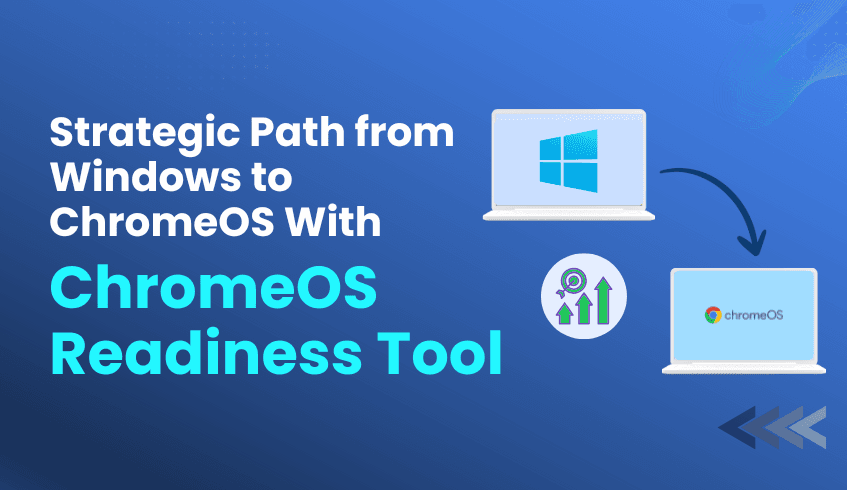
Microsoft's lifecycle policies mean that older Windows versions eventually lose support, leaving organizations vulnerable to security risks and compliance issues. If you're currently running Windows systems approaching end-of-life, you're facing a critical decision point that will impact your organization's productivity, security, and bottom line for years to come.
The question isn't whether you need to migrate, it's how to do it strategically and successfully.
When Windows support ends, the challenges multiply quickly. Security patches stop flowing, compliance frameworks flag unsupported systems as high-risk, and your IT team faces mounting pressure to maintain increasingly vulnerable infrastructure. Many organizations discover too late that their legacy applications, specialized software, and established workflows create migration complexities they never anticipated.
But here's what forward-thinking IT leaders understand: this challenge is also an opportunity to modernize your entire technology stack.
ChromeOS isn't just another operating system; it's a fundamentally different approach to enterprise computing that addresses the core challenges facing modern organizations:
Security by Design: With multi-layered defenses including sandboxing, verified boot, and automatic updates, ChromeOS eliminates many of the vulnerabilities that plague traditional desktop environments. Your security team will appreciate the reduced attack surface and simplified threat management.
Cost Optimization: ChromeOS Flex can extend the life of your existing hardware, dramatically reducing replacement costs while supporting sustainability initiatives. Organizations typically see 50-70% reductions in total cost of ownership compared to traditional Windows deployments.
Cloud-Native Performance: Built for the modern workplace, ChromeOS integrates seamlessly with Google Workspace and other cloud platforms, enabling the real-time collaboration and anywhere-access capabilities your teams need to thrive in hybrid environments.
Simplified Management: Zero-touch enrollment and centralized cloud management eliminate the complexity of traditional desktop deployments. Your IT team can provision and manage devices at scale without the overhead of imaging, patching, and maintaining local software installations.
Here's where many organizations stumble: they approach OS migration tactically rather than strategically. Without comprehensive visibility into their current environment, they encounter unexpected blockers, compatibility issues, and user disruption that could have been avoided with proper planning.
The ChromeOS Readiness Tool transforms this challenge by providing the data-driven insights you need to plan with confidence. This isn't just another compatibility checker; it's a comprehensive assessment platform that evaluates your entire technology ecosystem.
The tool provides three critical layers of insight:
Application Compatibility Analysis: Every Windows application in your environment is classified as ChromeOS-ready, Possibly Ready, Blocker, or Unknown. This granular assessment helps you prioritize migration waves and identify virtualization needs before they become problems.
Device Readiness Assessment: Your hardware is categorized as Ready to Switch, Ready with Verification, or Blocked from Switching. This analysis helps optimize your hardware refresh strategy and identify candidates for ChromeOS Flex deployment.
Browser Insights for Security: The new Browser Insights feature provides comprehensive visibility into browser and extension usage across your organization, helping you identify security risks and streamline your browser management strategy for the ChromeOS transition.
Migration success depends on more than just tools; it requires expertise in enterprise architecture, change management, and technology integration. This is where Codimite becomes your strategic advantage.
As a Google Chrome Service Partner and Google Cloud Partner, Codimite brings deep expertise in ChromeOS migrations and cloud-native transformations. Their team understands the unique challenges facing enterprises migrating from Windows environments and has developed proven methodologies for ensuring successful transitions.
What sets Codimite apart:
End-to-End Migration Support: From initial assessment through post-migration optimization, Codimite provides comprehensive support throughout your transformation journey.
AI-Powered Solutions: Their AI expertise helps organizations leverage advanced automation and intelligent workflows to maximize the benefits of their ChromeOS deployment.
Custom Integration Development: When standard solutions aren't sufficient, Codimite develops custom applications and integrations to ensure business continuity throughout the migration process.
Don't let Windows obsolescence force you into reactive decisions. Take control of your migration timeline with these strategic steps:
Assess Your Current State: Deploy the ChromeOS Readiness Tool across your organization to gain comprehensive visibility into compatibility requirements and migration readiness.
Develop Your Migration Strategy: Use the assessment data to create a phased migration plan that minimizes business disruption while maximizing the benefits of ChromeOS adoption.
Engage Migration Experts: Partner with Codimite to ensure your migration is executed with enterprise-grade expertise and support.
Plan for Success: Develop change management and training programs to ensure user adoption and maximize the return on your technology investment.
Windows obsolescence is inevitable, but the impact on your organization is entirely within your control. Organizations that approach this challenge strategically with comprehensive assessment, expert guidance, and proven migration tools emerge stronger, more secure, and better positioned for future growth.
The ChromeOS Readiness Tool and Codimite's expertise provide everything you need to transform a mandatory migration into a strategic advantage.
Ready to take control of your migration timeline? Visit chromeosreadinesstool.com to begin your comprehensive assessment, and connect with Codimite to discuss how their enterprise migration expertise can ensure your success.
Don't wait until support ends to start planning. Your future-ready technology stack is waiting.
In today's business environment, digital transformation is no longer optional; it’s essential. Enterprises are prioritizing agility, security, and sustainability as they reimagine their IT ecosystems. At the forefront of this transformation is ChromeOS, Google’s secure, cloud-first operating system that redefines how organizations manage devices, users, and data.
Chrome OS empowers businesses to modernize their operations, enhance productivity, and reduce costs. Yet, achieving these benefits requires more than simply adopting a new platform; it demands strategic planning and clear visibility into your current IT landscape. That’s where the readiness tool comes in, offering the insight and assurance IT leaders need for a seamless migration.
ChromeOS has become a preferred choice for organizations looking to modernize securely and efficiently. Its core strengths lie in cost optimization, security by design, and effortless scalability.
ChromeOS allows organizations to extend the life of existing PCs through ChromeOS Flex, avoiding costly hardware replacements and reducing e-waste. It’s not just economical, it’s sustainable. ChromeOS devices consume less energy than traditional systems and receive automatic updates, helping enterprises meet both financial and environmental goals.
Security is embedded at the core of ChromeOS. Its multi-layered defense model, featuring sandboxing, verified boot, and automatic updates, drastically reduces the risk of malware, ransomware, and zero-day exploits. With these protections built in, many organizations can reduce reliance on third-party security tools while maintaining a stronger overall security posture.
ChromeOS delivers scalability without complexity. Using zero-touch enrollment, devices can be shipped directly to employees and automatically configured upon login. Centralized management through the Google Admin Console allows IT teams to apply policies, deploy apps, and monitor performance across the entire fleet in minutes, not hours.
While ChromeOS offers transformative potential, successful adoption depends on strategic preparation. The readiness tool provides the clarity IT leaders need to plan migrations effectively, ensuring compatibility, stability, and a predictable rollout.
The tool analyzes your existing IT environment, including applications, devices, and peripherals, and provides actionable insights to guide your migration strategy. Applications are categorized as Chrome Ready, Possibly Ready, or Blockers, helping teams identify what can be migrated immediately and what requires configuration or virtualization.
For applications that aren’t ChromeOS-compatible, the readiness tool offers guidance and recommends virtualization options such as Cameyo. This ensures that business-critical workloads continue uninterrupted as they transition to a more secure and flexible infrastructure.
The tool integrates seamlessly into diverse IT infrastructures through multiple deployment flows:
Enterprise Flow: Built for organizations using Active Directory and GPOs, ideal for on-premise or hybrid setups.
Other Deployments Flow: Optimized for cloud-based and UEM-managed environments without Active Directory.
Both methods support secure data collection and storage through either a network shared folder or Google Cloud Platform (GCP), depending on organizational preference.
Security underpins every aspect of the readiness tool. All collected assessment data remains within the organization, encrypted using protocols, and access is restricted to authorized personnel. To view results, administrators must authenticate with a private key, ensuring sensitive information remains protected throughout the assessment process.
ChromeOS represents the next evolution of enterprise computing, one that’s faster, safer, and built for the cloud era. The readiness tool empowers organizations to move toward this future confidently, transforming migration from a complex challenge into a strategic opportunity.
By providing clear compatibility insights, secure data handling, and expert recommendations, it ensures that enterprises can embrace ChromeOS without disruption, achieving a smarter, more sustainable, and future-ready IT infrastructure.