
Explore key tools, smart features, and expert insights...
In today’s distributed workforce, IT teams often struggle to understand what devices, browsers, and applications employees are actually using. Without this clarity, rolling out new policies, enforcing security standards, or optimizing workflows becomes a guessing game. The ChromeOS Readiness Tool provides centralized visibility, giving organizations the insights they need to make informed decisions and prepare for a secure, efficient future.
The ChromeOS Readiness Tool collects detailed information about devices and browsers across your enterprise. IT teams can see which browsers are in use along with browser versions, installed extensions, and application usage patterns. This level of insight helps identify outdated or unsupported environments, potential compatibility issues, and hidden risks that could impact productivity or security.
Key capabilities include:
Browser and Device Inventory: See all devices and browser versions in one centralized dashboard
Extension and Application Visibility: Identify the tools employees rely on daily and assess whether they align with enterprise standards
Upgrade Planning and Compliance: Detect outdated browsers or unsupported extensions to prioritize updates before deploying new policies
By giving IT teams a clear picture of the current environment, the ChromeOS Readiness Tool ensures organizations can confidently plan their device management strategies, reduce operational friction, and prepare for a smooth transition to enterprise-grade solutions.
Once organizations understand their device and browser landscape, the next step is to implement centralized management. Chrome Enterprise Premium (CEP) offers a browser-first, cloud-friendly approach to device management that reduces complexity while increasing control.
CEP allows IT teams to enforce consistent policies, manage devices remotely, and secure workflows all from a single console. When paired with the insights from the ChromeOS Readiness Tool, centralized management becomes not only possible but highly effective.
Targeted Policy Deployment: Insights from the tool show which devices and browsers need immediate attention, allowing IT to prioritize policy rollout efficiently
Streamlined Onboarding: New devices can be provisioned and automatically enrolled in management, ensuring employees are productive from day one
Consistent Updates and Compliance: By combining CEP’s management capabilities with device visibility, IT teams can schedule updates, track compliance, and maintain a secure environment without disrupting employees
The combination of the ChromeOS Readiness Tool and CEP provides organizations with actionable intelligence and centralized control. IT teams can move from reactive troubleshooting to proactive management, protecting workflows and maintaining operational efficiency across the enterprise.
Centralized device management powered by visibility brings measurable benefits across sectors:
Healthcare: Clinicians can securely access electronic health records on shared or personal devices without compromising patient data
Finance: Detailed reporting and centralized oversight simplify audits and maintain regulatory compliance
Manufacturing: Protect sensitive designs and intellectual property on shared devices while enabling frontline productivity
Public Sector: Rapidly onboard contractors or remote employees without sacrificing security or control
Visibility is the foundation of effective device management. The ChromeOS Readiness Tool provides that clarity, helping IT teams understand the current environment, identify gaps, and prepare for action. Paired with Chrome Enterprise Premium, organizations gain centralized management, consistent policy enforcement, and secure, efficient workflows across every device.
With this combination, IT leaders can confidently transform device management from a reactive necessity into a strategic advantage, protecting data, improving productivity, and supporting a modern, distributed workforce.
In today’s cloud-first workplace, understanding how employees work is critical. The ChromeOS Readiness Tool provides clear insights into application usage, browser extensions, and AI activity across the enterprise. It helps IT and security teams identify where sensitive workflows occur, which tools employees rely on, and where potential risks may arise. This visibility ensures that organizations can make informed decisions about data protection and productivity.
With visibility from the ChromeOS Readiness Tool, organizations can confidently implement Chrome Enterprise Premium to protect data where work actually happens. Rather than relying on endpoint agents or network-based controls, Chrome Enterprise Premium embeds advanced Data Loss Prevention directly into the Chrome browser. The result is stronger data governance without disrupting productivity.
Traditional Data Loss Prevention tools were designed for a perimeter-based world. They often struggle with encrypted web traffic, unmanaged SaaS platforms, and the rapid adoption of AI tools. As a result, sensitive data can move through the browser without visibility or control.
Browser-level DLP changes this dynamic. Because Chrome Enterprise Premium operates inside the browser, it can inspect user actions in real time and apply policy at the moment data is accessed, shared, or modified. Whether an employee is uploading a file, copying sensitive text, or interacting with an AI chatbot, security teams gain the ability to intervene before data leaves the organization.
This approach is especially critical as generative AI becomes part of daily workflows. Data no longer leaks only through downloads or emails. It also moves through prompts, pasted code, screenshots, and form submissions. Browser-native controls provide the context required to manage these modern risks.
Chrome Enterprise Premium delivers a comprehensive set of DLP capabilities designed for cloud and browser-centric work:
Real-time content scanning allows uploads, downloads, and copy actions to be inspected for sensitive patterns such as personally identifiable information, credentials, or API keys. Potential leaks can be blocked before data is submitted.
Dynamic watermarking overlays user-specific identifiers such as email address and timestamp on sensitive web applications. This discourages unauthorized sharing and supports accountability when information appears outside approved channels.
Copy and paste controls restrict the movement of data from managed corporate applications to personal websites, email accounts, or unsanctioned AI tools. This reduces the risk of unintentional exposure through everyday actions.
Screenshot protection prevents the capture of sensitive browser content through operating system or browser-level screenshots. This closes a common gap that many digital security controls overlook.
Evidence locker functionality securely retains a copy of files or content that trigger DLP violations. This supports incident response, compliance reporting, and post-incident analysis without relying on external tools.
Together, these capabilities provide a layered approach to protecting data while maintaining a seamless user experience.
Generative AI presents both opportunity and risk. Employees benefit from faster research, content creation, and problem-solving, while organizations worry about proprietary data being shared with the public or unmanaged AI services.
Chrome Enterprise Premium enables a balanced approach. Security teams can warn users when sensitive data is about to be shared, mask confidential fields automatically, and audit AI usage patterns across the browser. This makes it possible to support innovation while maintaining governance and compliance.
For organizations modernizing their security posture, Chrome Enterprise Premium and the ChromeOS Readiness Tool create a powerful combination. One delivers deep, browser-native data protection. The other provides insights into how data flows across your enterprise, helping teams make informed decisions.
As the browser continues to replace the traditional desktop as the center of work, browser-level DLP is essential. Chrome Enterprise Premium, supported by insights from the ChromeOS Readiness Tool, provides both protection and clarity for the modern digital workplace.
In today’s enterprise environment, agility and control define successful IT operations. Teams are expected to support hybrid work, protect endpoints, and extend the value of existing hardware, all while keeping operational complexity in check. ChromeOS Flex addresses these challenges with a cloud-first operating system designed to modernize PCs and Macs through centralized management and deep cloud integration.
While ChromeOS Flex is often recognized for breathing new life into aging devices, its real strategic value comes from how seamlessly it connects devices, users, and policies through the cloud. By converting legacy hardware into cloud-managed endpoints, organizations gain visibility, consistency, and scale without adding infrastructure overhead.
ChromeOS Flex is built from the ground up for cloud-based work. Applications, user data, and configurations are designed to live beyond the device itself, supporting a distributed workforce with minimal dependency on local storage or on-premise systems.
Native integration with Google Workspace enables employees to sign in and immediately access Gmail, Drive, Meet, and other collaboration tools. User profiles follow the individual rather than the device, which simplifies device sharing, accelerates onboarding, and reduces configuration time for IT teams.
For organizations that still rely on Windows or legacy applications, ChromeOS Flex supports browser-based application delivery through virtualization partners such as Cameyo. These solutions allow critical applications to stream securely through the browser, reducing reliance on traditional VPNs and minimizing the complexity associated with maintaining full desktop images.
The management experience is where ChromeOS Flex delivers its most significant operational impact. Devices are managed entirely through the Google Admin console, providing IT teams with a single, cloud-based interface to control policies, updates, and configurations across the fleet.
Administrators can apply consistent security and usage policies, schedule updates, and monitor device status regardless of location. This centralized approach shifts IT from reactive troubleshooting to proactive governance, supporting consistency across thousands of devices without requiring hands-on intervention.
By standardizing device management in the cloud, organizations frequently see a measurable reduction in support effort. Fewer configuration issues, automatic updates, and a simplified operating environment translate into lower ticket volumes and more time for IT teams to focus on strategic initiatives.
Cloud management and security are tightly connected in ChromeOS Flex. The operating system uses a layered security model that includes sandboxing, verified boot, background updates, and a read-only system architecture that blocks traditional executables.
Through the Google Admin console, administrators can remotely configure device controls, manage sign-in restrictions, and apply screen lock and data access policies. If a device is lost or compromised, access can be restricted or removed centrally, reducing risk without requiring physical access to the device.
A successful move to ChromeOS Flex starts with understanding which devices are ready to make the transition. The ChromeOS Readiness Tool provides clear visibility into existing hardware across the enterprise, identifying compatibility, performance indicators, and upgrade readiness.
By using the ChromeOS Readiness Tool early in the planning process, IT teams can prioritize devices, align rollout phases, and build a data-backed migration strategy. This insight reduces uncertainty and helps organizations modernize with confidence rather than trial and error.
ChromeOS Flex is more than a cost-effective way to extend device lifecycles. It is a gateway to a cloud-managed operating model that simplifies administration, strengthens security, and supports a flexible workforce. When paired with centralized management and informed planning through the ChromeOS Readiness Tool, organizations gain a scalable foundation for modern endpoint management.
For enterprises looking to reduce complexity while increasing control, the combination of ChromeOS Flex and cloud-based management offers a practical path forward.
The pace of AI adoption in the workplace is accelerating, but understanding how AI applications are actually used across teams can be challenging. The ChromeOS Readiness Tool AI Application Visibility and Gemini Readiness feature provides organizations with actionable insights into AI adoption. It highlights which applications are in use, identifies Gemini-ready AI apps, and shows how AI can be safely and effectively integrated into daily operations.
Bringing visibility to AI adoption
By surfacing AI applications in the same context as other enterprise software, the tool helps organizations:
Recognize where Gemini can support or replace existing AI usage
Reduce reliance on unmanaged or redundant AI tools
Align user workflows with secure, enterprise-ready AI capabilities
With this insight, teams can confidently scale AI initiatives while supporting governance, policy compliance, and user productivity.
At Turing, the pressure to scale HR operations quickly became an opportunity to embed Gemini deeply into workflows. When the company needed to onboard 800 new hires in a single week, the HR team leveraged Gemini to create Turing University, an AI-powered onboarding system that routes talent to personalized learning paths. What previously took weeks was reduced to hours, enabling the onboarding of over 5,000 employees in the second half of 2024.
Beyond onboarding, Turing uses Gems, customized versions of Gemini, to support career development, skill validation, and learning. With the Thrive Together program, employees receive personalized guidance and training recommendations, creating measurable growth opportunities without increasing HR headcount.
Training programs also benefited from Gemini-powered insights. Feedback analysis revealed challenges in comprehension for global employees, which led to the adoption of synthetic voices and localized content. Updates that once took days can now be published in minutes, helping teams learn faster and more efficiently.
Rapid growth challenged HR support workflows, with ticket volumes surging from 5,000 to 18,000 per quarter. By developing Gemini-assisted models trained on internal knowledge, Turing reduced ticket processing time by 33 percent while keeping humans in the loop. The approach is on track to automate the majority of annual HR requests, freeing HR teams to focus on higher-value initiatives.
Daily use of Gemini embedded in Google Workspace from Gmail to Docs and Sheets also improved employee satisfaction and retention. Team member satisfaction rose 32 percent in the first half of the year, driven by AI-enabled onboarding, career guidance, and streamlined workflows.
Turing’s success demonstrates the impact Gemini can have when it’s embedded into everyday work. For other organizations aiming to achieve similar results, the ChromeOS Readiness Tool offers a practical starting point.
Instead of directly analyzing workflows, the AI Application Visibility and Gemini Readiness feature identifies which AI applications users are already using across devices. Based on this visibility, the tool recommends relevant Gemini capabilities and Gemini-based alternatives, helping organizations guide users toward secure, enterprise-ready AI.
This approach enables IT and business leaders to understand existing AI behavior, reduce reliance on unmanaged tools, and gradually steer teams toward standardized Gemini adoption, turning real usage data into a smarter, more intentional AI strategy.
In a security landscape defined by escalating threats and shrinking tolerance for risk, the operating system has become a frontline control rather than a passive foundation. For organizations operating legacy Windows or macOS devices, exposure often increases over time through executable-based attacks, delayed patching cycles, and complex endpoint security stacks.
ChromeOS Flex offers a fundamentally different approach. By replacing the existing operating system on compatible hardware with a cloud-first, security-focused platform, organizations can reduce attack surface at the operating system level while extending the usable life of existing devices.
ChromeOS Flex is Google’s secure operating system designed to run on existing PCs and Macs. Built on the same security architecture as ChromeOS, it prioritizes prevention over detection and removes common pathways used by modern threats.
Rather than relying on multiple agents to monitor and remediate risk, ChromeOS Flex embeds security directly into the operating system. This shift simplifies endpoint protection while strengthening baseline defenses across the fleet.
ChromeOS Flex is engineered around architectural controls that eliminate entire categories of attacks.
Read-only operating system The core system is read-only and cryptographically protected. This prevents unauthorized changes to system files and blocks executable-based malware from establishing persistence. By design, the operating system resists modification, significantly limiting ransomware and rootkit attack paths.
Verified boot and system integrity Every startup includes a verification process that checks the operating system against a known-good image. If integrity issues are detected, the system automatically restores itself. This reduces manual intervention and strengthens trust in device state.
Application and browser sandboxing Each browser tab, extension, and application runs in an isolated environment. If malicious code is encountered, it is contained within that sandbox and cannot access the rest of the system. This containment model limits lateral movement and privilege escalation.
Traditional operating systems often depend on third-party tools to compensate for architectural weaknesses. ChromeOS Flex reduces this dependency by removing common attack vectors altogether.
Because executables are blocked and system-level access is tightly controlled, many threats never reach a stage where detection is required. Automatic background updates further strengthen this model by keeping devices consistently current without user involvement.
The result is a simpler, more predictable security posture that reduces operational overhead while maintaining strong baseline protection.
Many regulatory frameworks prioritize preventive controls, system integrity, and least-privilege access. ChromeOS Flex aligns naturally with these principles.
The combination of a read-only operating system, verified boot, and enforced sandboxing provides clear evidence of:
Continuous system integrity validation
Structural prevention of unauthorized software installation
Strong separation between user activity and the operating system
These characteristics simplify audit conversations and support consistent compliance across distributed environments.
A security-focused transition starts with visibility across both risk and device suitability. The ChromeOS Readiness Tool supports the adoption of ChromeOS Flex by providing precise, data-driven insights into the compatibility of an organization’s existing hardware.
Targeted device compatibility assessments The ChromeOS Readiness Tool distinguishes devices compatible with ChromeOS Flex, which is typically deployed on existing hardware.
On the web dashboard:
Devices that meet ChromeOS Flex requirements are clearly labeled with a ChromeOS Flex Compatible tag
Administrators can filter the Devices view to surface only ChromeOS Flex–ready systems
This targeted visibility allows teams to build an accurate migration list for legacy hardware while aligning readiness decisions with security objectives. Instead of broad assumptions, IT teams can plan a phased rollout that prioritizes hardened endpoints without unnecessary device replacement.
Security works best when it is built in, not bolted on. ChromeOS Flex transforms legacy devices into hardened endpoints by reducing attack surface, validating system integrity continuously, and centralizing policy enforcement.
For organizations prioritizing security, simplicity, and long-term resilience, ChromeOS Flex provides a strong foundation that turns aging hardware into secure, cloud-first assets.
One of the biggest hurdles for organizations moving to a cloud-first operating system is reliance on legacy applications. IT leaders often worry that critical line-of-business apps, which are not yet web-based, will stall digital transformation initiatives. Without a clear path forward for these applications, migration projects can stall, leaving users dependent on outdated hardware and software.
The ChromeOS Readiness Tool addresses this challenge directly through its Virtualization feature. By providing insights for Cameyo, a cloud-native virtualization platform, the ChromeOS Readiness Tool helps transform application “blockers” into actionable migration tasks. This approach allows organizations to plan how legacy software can continue to function while moving toward a modern, cloud-first environment.
When the ChromeOS Readiness Tool assesses a fleet, it categorizes applications as Chrome Ready, Possibly Ready, or Blocker. A “Blocker” no longer needs to slow down migration.
With the Virtualization section on the Partner and Pro dashboards, the tool provides a clear path forward for these applications. It empowers IT teams by:
Targeted Identification: Applications marked as “Possibly Ready” or “Blocker” are isolated and filtered by usage frequency, helping prioritize mission-critical tools without overwhelming administrators.
Cameyo Compatibility Mapping: The tool categorizes applications according to their potential compatibility with Cameyo’s virtualization capabilities. IT teams can see which apps are more likely to run successfully in a virtualized environment, reducing migration uncertainty.
Transparent Feasibility: If an application is still under review, the dashboard provides clear status updates, giving teams actionable guidance for planning next steps.
By turning blockers into actionable insights, IT teams can focus on solutions rather than obstacles, making the migration journey smoother for both administrators and end users.
Providing virtualization insights is crucial for organizations transitioning to ChromeOS. Virtualization enables legacy operating system applications to run in a browser environment, giving IT teams the guidance they need to plan migration strategies while maintaining user productivity.
Using these insights, organizations can:
Eliminate Costly Virtual Delivery Infrastructure: Understanding which applications are compatible with cloud-based virtualization allows teams to adopt a streamlined, cloud-native approach.
Enable Secure, Anywhere Access: Applications that can be virtualized run securely in the browser, supporting a zero-trust model without requiring VPNs or complex network configurations.
Maintain Continuity for End Users: Knowledge workers can continue using critical applications without disruption, minimizing the learning curve and maintaining productivity during migration.
This approach allows IT teams to expand ChromeOS access across the organization without leaving behind essential applications, creating a smoother path to modernization.
Beyond individual applications, Cameyo virtualization insights support a broader shift toward cloud-first operations. By identifying which previously Windows-only apps can run virtually on ChromeOS, organizations can reduce reliance on legacy hardware, simplify management, and lower the total cost of ownership.
Additionally, virtualized workflows provide flexibility for remote and hybrid teams. Applications that once required specific devices or locations can now be accessed securely from any ChromeOS device, increasing mobility without sacrificing performance or security.
The ChromeOS Readiness Tool goes beyond identifying which devices are ready for ChromeOS. It provides a clear blueprint to address legacy application blockers. By using the Cameyo Virtualization recommendation feature to assess and plan for these applications, IT administrators can confidently execute migrations that cover every user, every application, and every workflow.
With virtualization insights, organizations can modernize their IT environment, support cloud-first operations, and maintain continuity for all users while reducing costs and complexity. The ChromeOS Readiness Tool empowers IT teams to move forward with confidence, turning migration opportunities into measurable outcomes.
In today’s fast-paced digital landscape, organizations face a tough choice: modernize their device fleet without overspending or generating unnecessary e-waste. ChromeOS Flex is a free operating system, offering a cloud-first, fast, and secure solution that transforms existing PCs into modern, efficient devices.
Many organizations underestimate the potential of devices they already own. ChromeOS Flex is Google’s free operating system designed to run on older Windows PCs and Macs, reviving them with the speed, simplicity, and security of ChromeOS. It is optimized for web-based tasks, deep cloud integration with Google Workspace, and simplified IT management, making it easy for teams to maintain consistency, security, and productivity across their fleet. By converting existing hardware into a reliable, cloud-first platform, organizations can reduce capital expenditure while extending device lifecycles, supporting both financial and sustainability goals.
ChromeOS Flex can be installed on devices you already own and replace them with a cloud-native operating system. Its enterprise benefits are compelling:
Sustainability and Cost Savings: Extend device lifecycles, cut e-waste, and lower energy consumption by up to 46% compared to traditional devices.
Security: With sandboxing and read-only OS files, ChromeOS Flex protects against ransomware and eliminates the need for third-party antivirus software.
Resilience and Performance: Provides a fast, reliable cloud-first experience, keeping devices productive and secure over time.
Cloud and Management Integration: Designed for seamless use with Google Workspace, ChromeOS Flex supports centralized management and simplified deployment, making it easier for IT teams to monitor devices and enforce policies.
Even with ChromeOS Flex’s advantages, IT teams need visibility to deploy effectively. The ChromeOS Readiness Tool provides that clarity by analyzing devices and applications and identifying potential incompatibilities before they become problems.
Instantly Identify Flex-Compatible Devices The ChromeOS Readiness Tool dashboard shows ChromeOS Flex compatibility for every device in your organization, helping IT teams pinpoint which devices are ready for ChromeOS Flex.
Targeted Filtering: Administrators can filter in the dashboard to see only ChromeOS Flex-compatible devices.
Visual Tags: Devices ready for ChromeOS Flex migration are clearly labeled, making planning and execution easier.
Optimize Investments Strategically The ChromeOS Readiness Tool transforms IT planning from reactive troubleshooting into forward-looking modernization. By highlighting devices ready for Flex, organizations can extend hardware lifecycles, reduce replacement costs, and support sustainability goals without sacrificing performance or security.
Transitioning to ChromeOS Flex is a smart move for sustainability, security, and cloud-first productivity. Using the ChromeOS Readiness Tool enables IT teams to gain visibility into devices, applications, and peripherals, making your migration more predictable, efficient, and cost-effective.
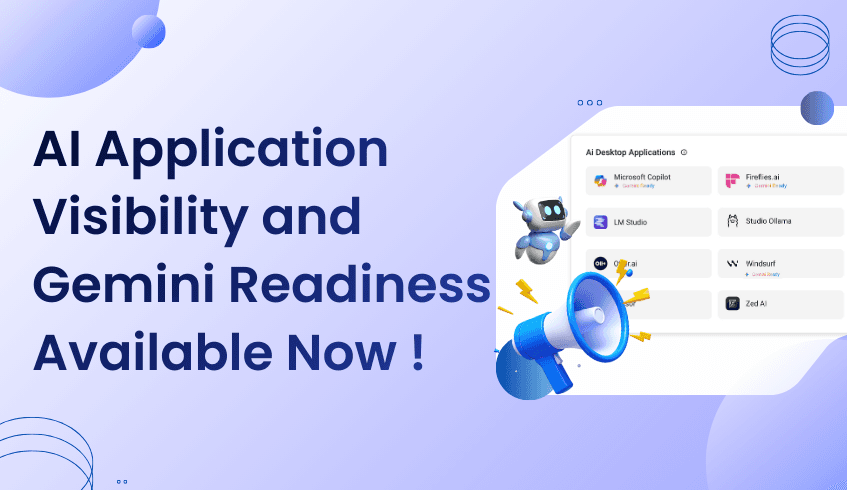
AI adoption has been happening faster than most organizations can see. Design tools, developer apps, productivity software, and intelligent assistants are already part of daily work, often without centralized visibility.
Today, that changes.
AI Application Visibility and Gemini Readiness is available now in the ChromeOS Readiness Tool, giving IT and business leaders a clear view into the AI-enabled desktop applications running across their organization.
This release addresses a challenge teams have been dealing with quietly for a long time.
As AI usage expands, most organizations struggle with the same underlying issue: they do not have a reliable way to see how AI is actually being used across devices.
Common questions remain unanswered:
Which AI-enabled desktop applications are installed across the fleet?
Where is AI adoption strongest across teams?
Are employees using approved tools, or introducing unmanaged AI risk?
Historically, these answers came from assumptions, surveys, or fragmented data sources. Browser activity, desktop applications, and AI usage signals lived in different places, making it difficult to form a complete picture.
Without visibility, an AI strategy becomes reactive instead of intentional.
AI Application Visibility and Gemini Readiness of the ChromeOS Readiness Tool is designed to close this gap.
The feature detects AI-enabled desktop applications installed on employee devices and presents that insight in a centralized view. It removes guesswork and replaces it with factual, device-level data that reflects real usage across the organization.
From day one, teams can:
Identify installed AI-enabled desktop applications across devices
Understand usage trends across users and teams
Get an idea of the Gemini readiness and Gemini-based alternatives
This shifts AI oversight from fragmented tracking to structured visibility.
Preparing for Gemini adoption requires understanding the AI foundation that already exists.
AI Application Visibility and Gemini Readiness help organizations see how AI is currently embedded in workflows, which applications are in use, and where adoption is accelerating. This context allows teams to plan Gemini initiatives based on real-world behavior rather than theoretical readiness.
The result is a more grounded approach to rollout planning, governance discussions, and long-term AI strategy.
This is not a future roadmap capability.
AI Application Visibility and Gemini Readiness is available now in the ChromeOS Readiness Tool, ready to deliver immediate insight once enabled. There is no extended setup cycle required to begin seeing value.
For organizations that know AI adoption is already happening and want visibility to manage it responsibly, this release provides a clear starting point.
AI will continue to expand across tools, teams, and workflows. Organizations that succeed will be the ones that can see what is happening and act with confidence.
With AI Application Visibility and Gemini Readiness in the ChromeOS Readiness Tool, that visibility is now in place.
The blind spot is gone. The insight is available. And AI strategy can move forward with clarity.
As organizations adopt AI across workflows, understanding which AI-enabled desktop applications are in use can be challenging. The ChromeOS Readiness Tool makes this simple with its Installed Desktop AI App Detection feature, giving IT and business leaders a clear picture of AI adoption across devices.
This feature automatically identifies AI-enabled applications on employee devices, whether actively used or running in the background. By centralizing this data, IT teams can see which tools are essential, which are underused, and which may require replacement or optimization. For businesses planning a ChromeOS migration or streamlining their AI ecosystem, this insight is critical.
Detection alone isn’t enough. The tool also captures usage time for each AI application, showing how frequently employees rely on specific tools. Organizations can use this information to prioritize high-value applications, reduce redundant software, and improve efficiency.
These usage insights also support migration planning by highlighting which applications could benefit from recommended Google AI alternatives. IT teams can confidently plan transitions without disrupting workflows, ensuring employees continue using the tools they need.
IT teams gain a real-time view of the AI application landscape, making inventory management and compatibility planning simpler. Business leaders benefit from knowing critical AI workflows are supported and can standardize tools across departments to improve collaboration and reduce training needs.
By combining detection, usage analytics, and recommendations, the ChromeOS Readiness Tool helps organizations make data-driven decisions, reducing guesswork and preparing for a smoother adoption of new platforms or AI solutions.
As AI becomes integral to daily operations, visibility into application usage is essential. The ChromeOS Readiness Tool provides a holistic view, turning a complex assessment into a straightforward process. Organizations can optimize their AI ecosystem, improve efficiency, and confidently navigate platform migrations, all while supporting the future of work.